


| This FAQ is suitable for: EX150, EX300 |
Method 1:
Press the WPS button on the router and the extender, a secure WiFi connection can be established quickly to extend the coverage of your existing wireless network.
Method 2:
1. Please login the extender’s web-setting interface. (Default IP address: 192.168.1.254, User name: admin, Password: admin)

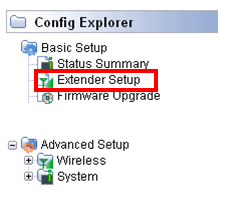
2. Click Extender Setup on the left side.
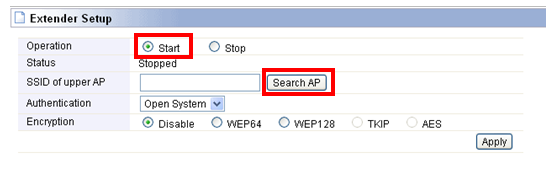
3. Choose Start and click search AP button.
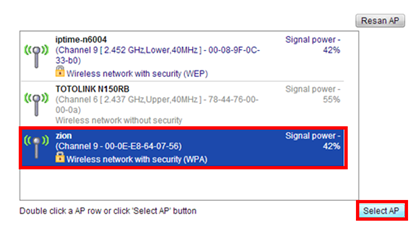
4. Please choose the SSID you want to connect to.
5. You should enter the password in the corresponding filed and click Apply to save settings and make it take effect.
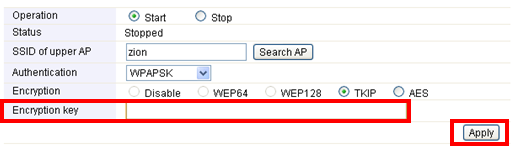
After that, you have finished the steps about extender setup.


